
Changelog

Follow new updates and improvements to Ionworks.

Cycler Simulator v2.0
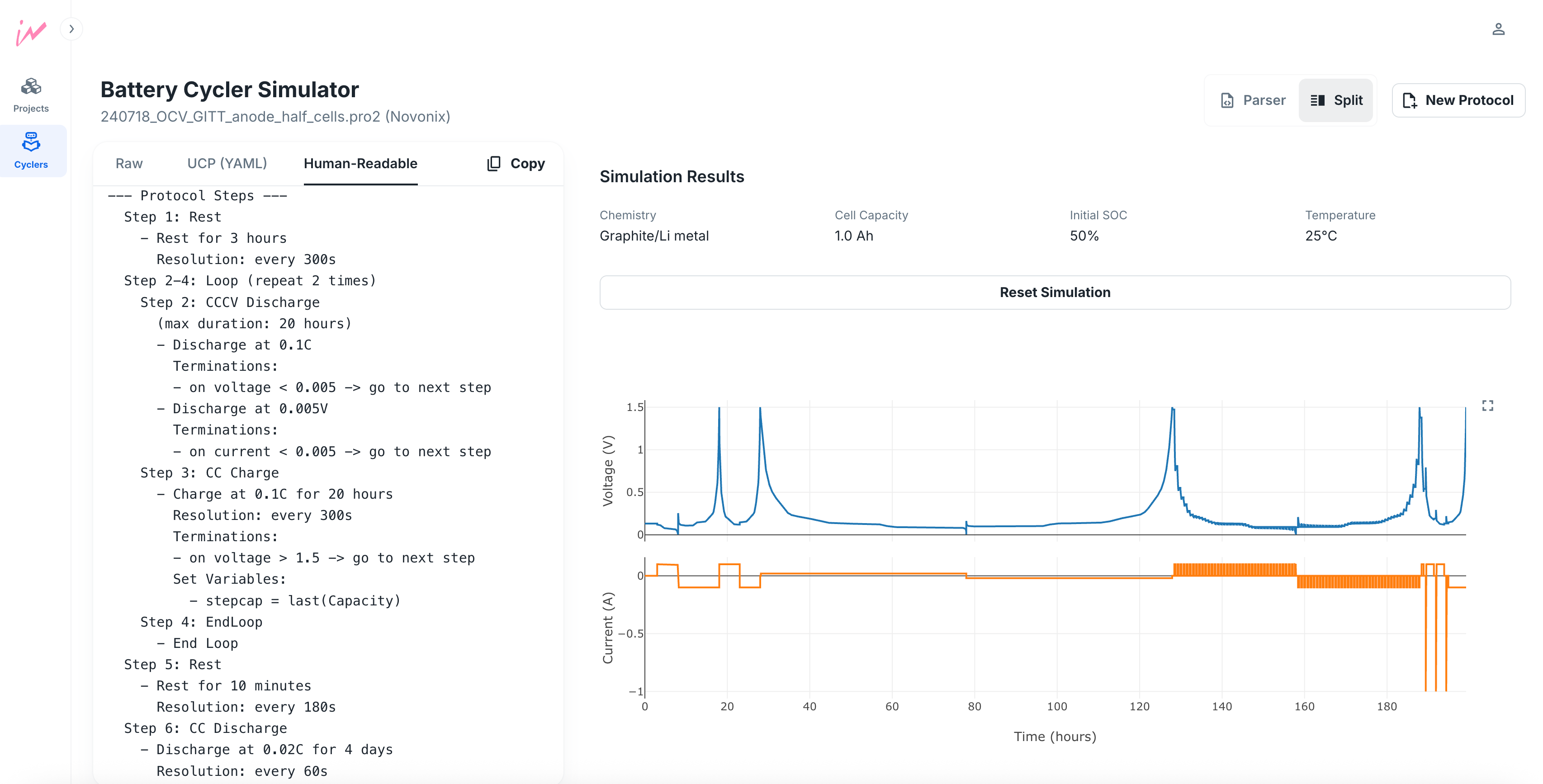
Today, we’re excited to release Version 2.0 of the Cycler Simulator!

Thanks to everyone who shared feedback and protocol files - it turns out protocol files come in all shapes, sizes, and edge cases! So we rebuilt the core to handle them all.

What’s new in v2.0:
✅ A redesigned UI with a more information, including a “human-readable” protocol preview
✅ A new state machine simulation engine that handles all protocol features such as loops, gotos, variables, resolutions, and more
✅ Simulate half cells with anode or cathode materials
✅ Support for Novonix UHPC protocols
Studio

Interpolant parameters

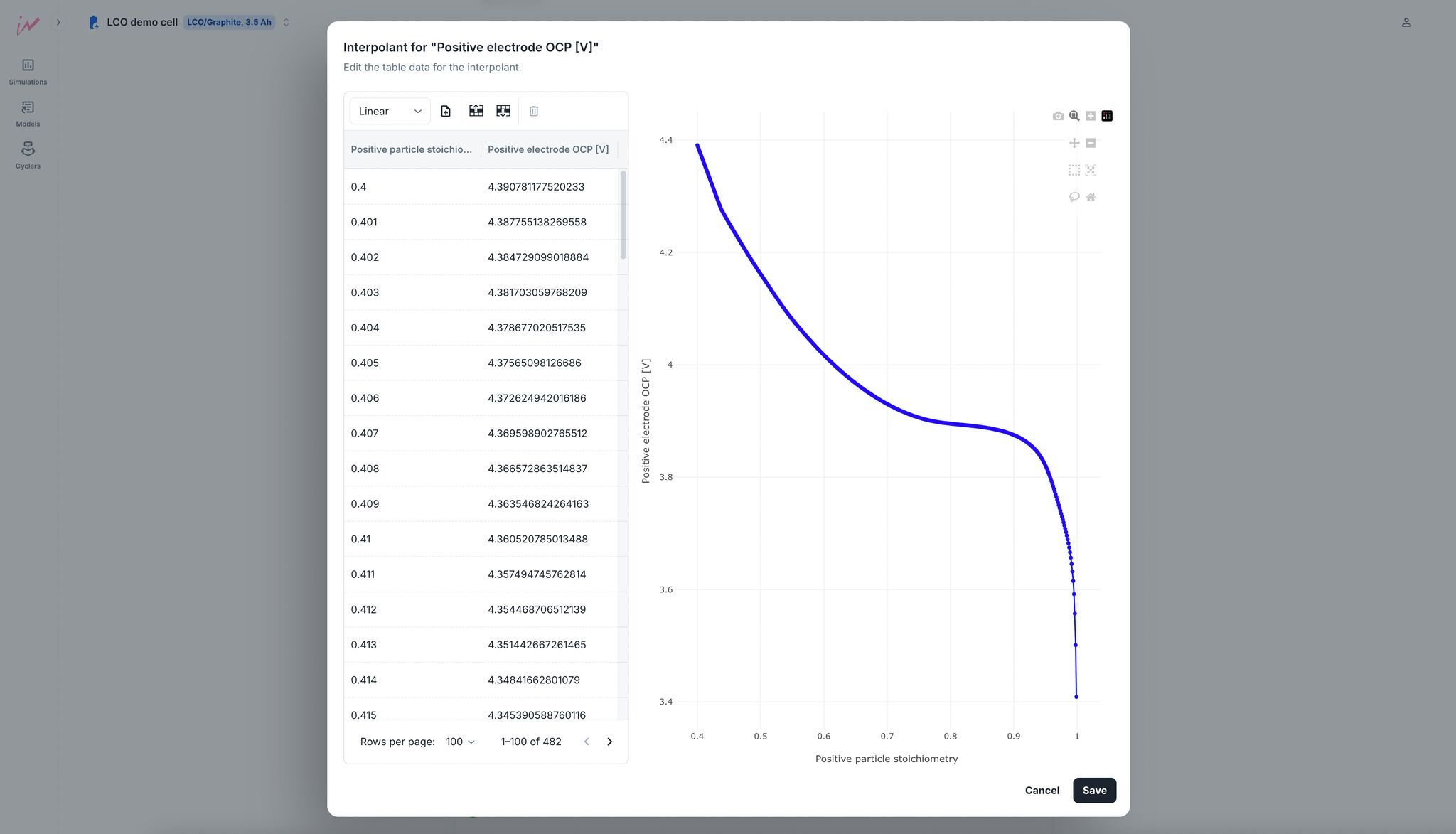
You can now define parameters like electrode OCPs as interpolants—just write or upload your table of data, and Ionworks Studio will automatically visualize it for you.

Whether you're using experimental OCP curves, fitted degradation functions, or custom diffusivity data, the plot helps you confirm it's being interpreted correctly. No more guessing if your interpolant is doing the right thing!

This makes it easier than ever to work with real-world data in battery simulations—especially for engineers who want quick feedback on the models they're building.

🔋 Shown here: a custom interpolant for LCO positive electrode OCP.

Studio

New Simulation Dashboard

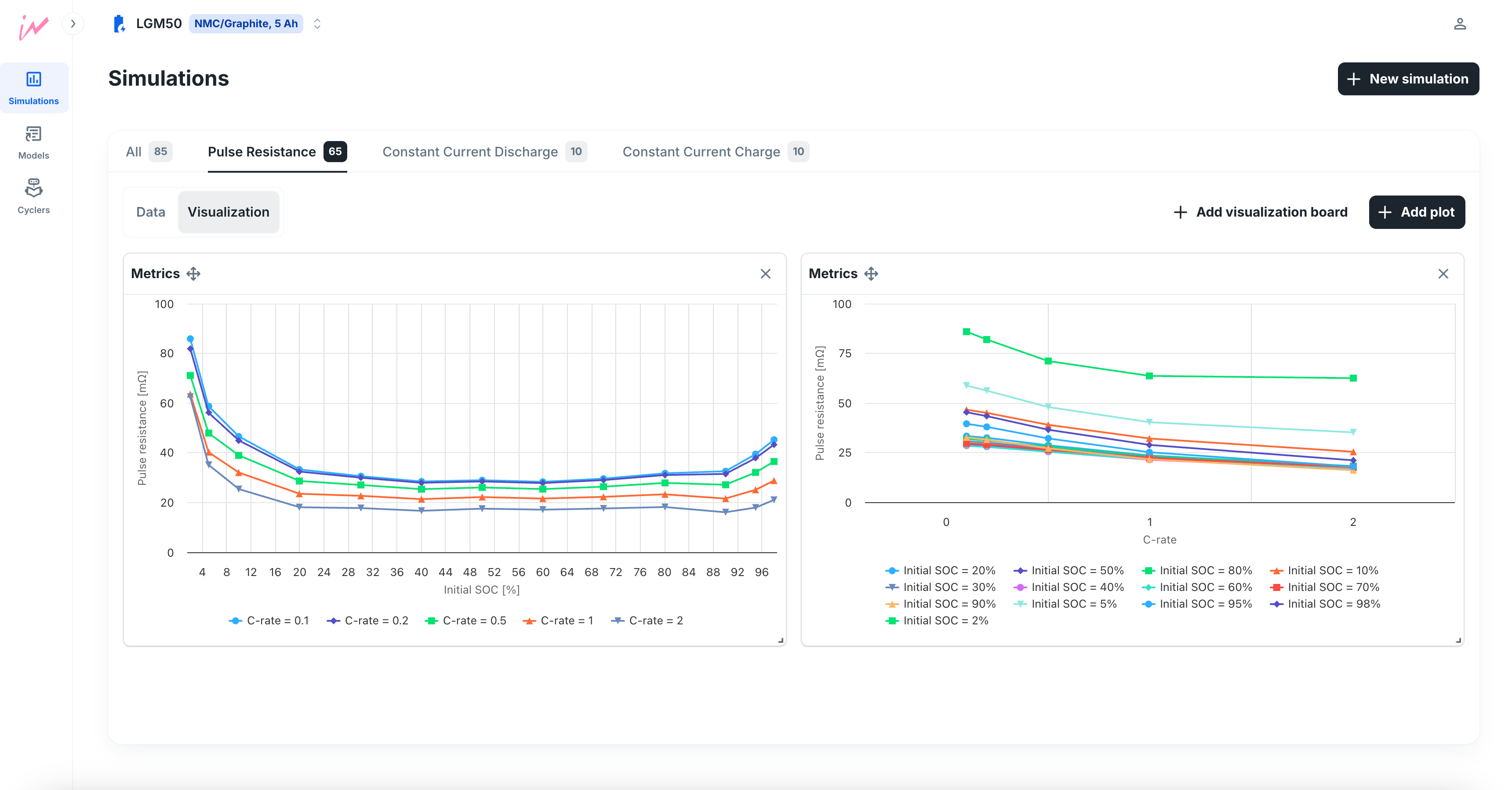
We’ve just launched a redesigned Simulation Dashboard, making it easier than ever to explore and visualize your simulation results. Whether you’re comparing dozens of runs or diving deep into one, the new dashboard adapts to your workflow.

Key Features:

  • Resizable & Reorderable Plots: Customize your layout to focus on what matters most.

  • Multiple Dashboards per Dataset: Create different views for different questions—no need to rerun simulations.

  • Smart Filtering: Set filters for each plot so new simulations that match your criteria are automatically included—no manual updates needed.

This upgrade builds on all the existing plotting functionality you’re used to:

  • Flexible Plotting: Visualize time series variables or aggregated metrics with ease.

  • Overlays Made Easy: Compare multiple simulations on a single plot with automatic labeling.

Whether you're running 1 or 100 simulations, your data just got a whole lot easier to navigate.

Studio

Earlier updates